School timetable generator that never double-books a teacher
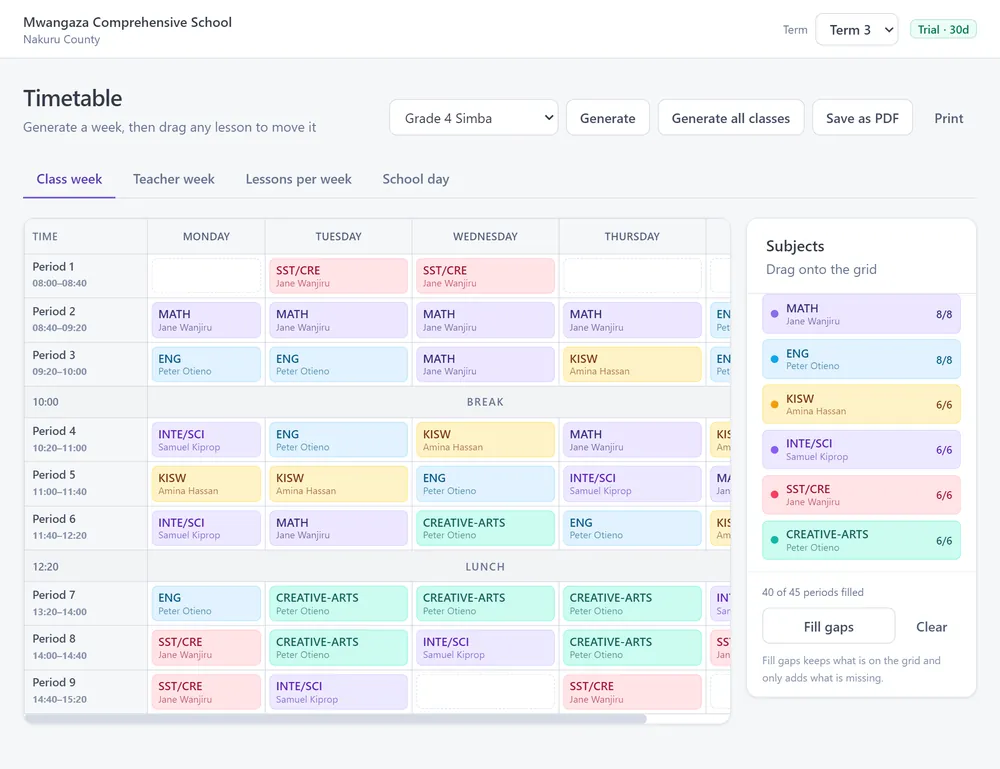
Set your bell times and how many lessons each subject needs, and Msingi builds the timetable for every class. No teacher is ever in two rooms at once. Then drag and drop to make it yours.
The scale
The grading Msingi uses
CBE achievement levels
| Rubric | Marks | Points |
|---|---|---|
| EE1 | 90–100% | 8 |
| EE2 | 75–89% | 7 |
| ME1 | 58–74% | 6 |
| ME2 | 41–57% | 5 |
| AE1 | 31–40% | 4 |
| AE2 | 21–30% | 3 |
| BE1 | 11–20% | 2 |
| BE2 | 0–10% | 1 |
KCSE grades
| Rubric | Marks | Points |
|---|---|---|
| A | 80–100% | 12 |
| A- | 75–79% | 11 |
| B+ | 70–74% | 10 |
| B | 65–69% | 9 |
| B- | 60–64% | 8 |
| C+ | 55–59% | 7 |
| C | 50–54% | 6 |
| C- | 45–49% | 5 |
| D+ | 40–44% | 4 |
| D | 35–39% | 3 |
| D- | 30–34% | 2 |
| E | 0–29% | 1 |
KCSE grading system: free calculator →
CBE grading system: free calculator →
Questions schools ask
Before you try it
How does the generator work?
Tell it the bell times, the lessons each learning area needs per week and who teaches what. It places every lesson so that no teacher is booked twice in the same period.
Can we change it afterwards?
Yes. Drag a lesson to move it, or drop it on another to swap them. Msingi will not let a move double-book a teacher.
Does each teacher get their own timetable?
Yes. Every teacher’s week can be viewed and printed on its own.
Can we use our own bell times?
Yes. Lesson lengths, breaks and lunch are all editable.
Is it part of the whole system?
Yes. The timetable uses the same classes, teachers and learning areas as marks and report cards, so there is nothing to type twice.