Kenya · CBC & CBE South Africa · CAPS
Marks in. Report cards out, the way your country prints them.
Msingi keeps a school’s marks, report cards, fees, attendance and timetables, following Kenya’s CBC and CBE or South Africa’s CAPS to the letter. It runs on the school’s own computer, with or without internet.
Windows 10 or later · version 1.41.0 · free to set up and try
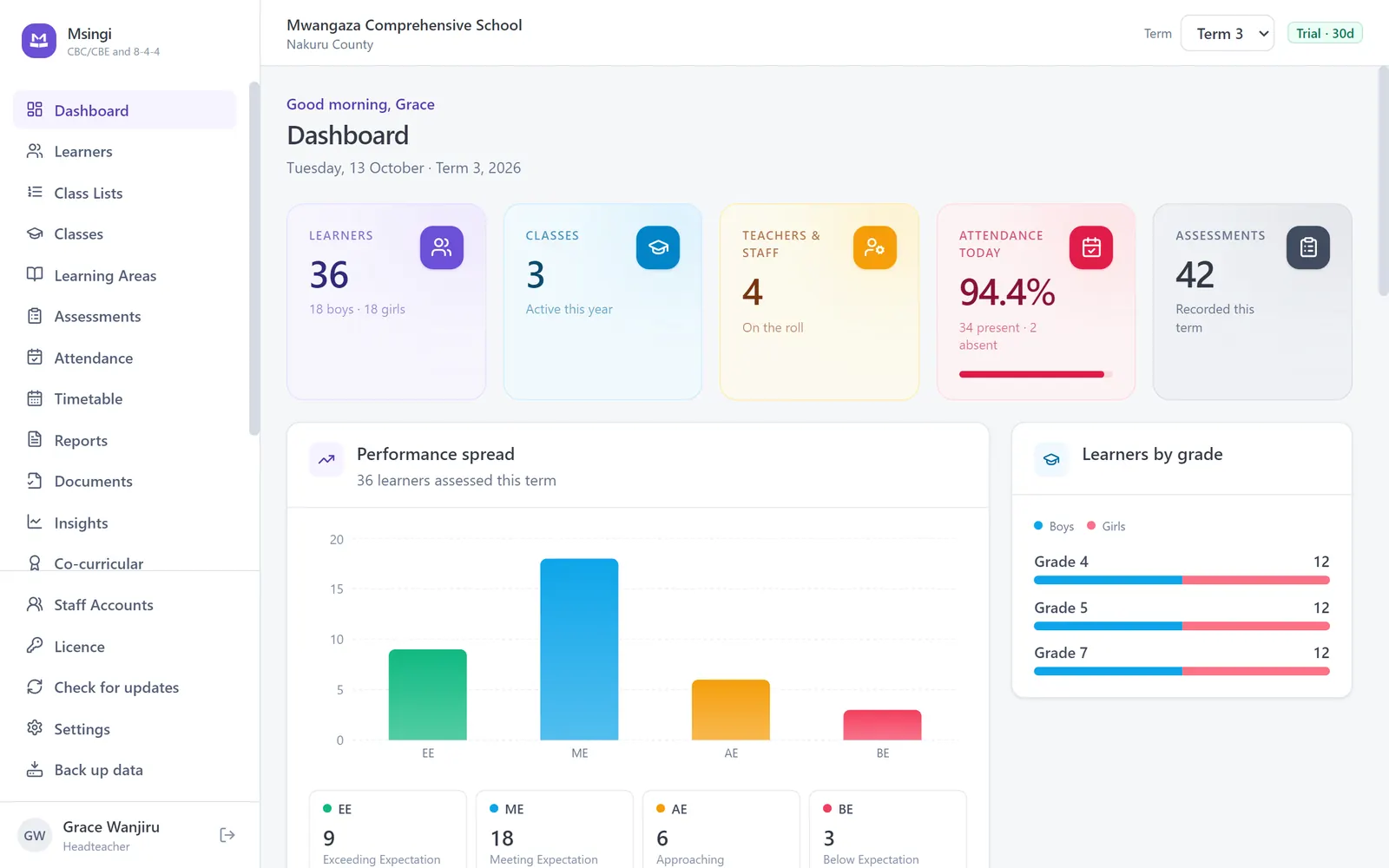
Official gradingCBE levels EE1 to BE2, CAPS levels 1 to 7
Whole-class printingEvery report card in one go
M-Pesa and EFTStatements matched to learners
No internet neededYour records stay on your computer
Watch it work
From marks to report cards to fees, in fifteen seconds
From the marksheet to the parent
The paperwork of a school term, done properly

Marks
Enter marks once. Everything else is worked out.
- Rubric levels and points from your country’s own scale, never a generic percentage
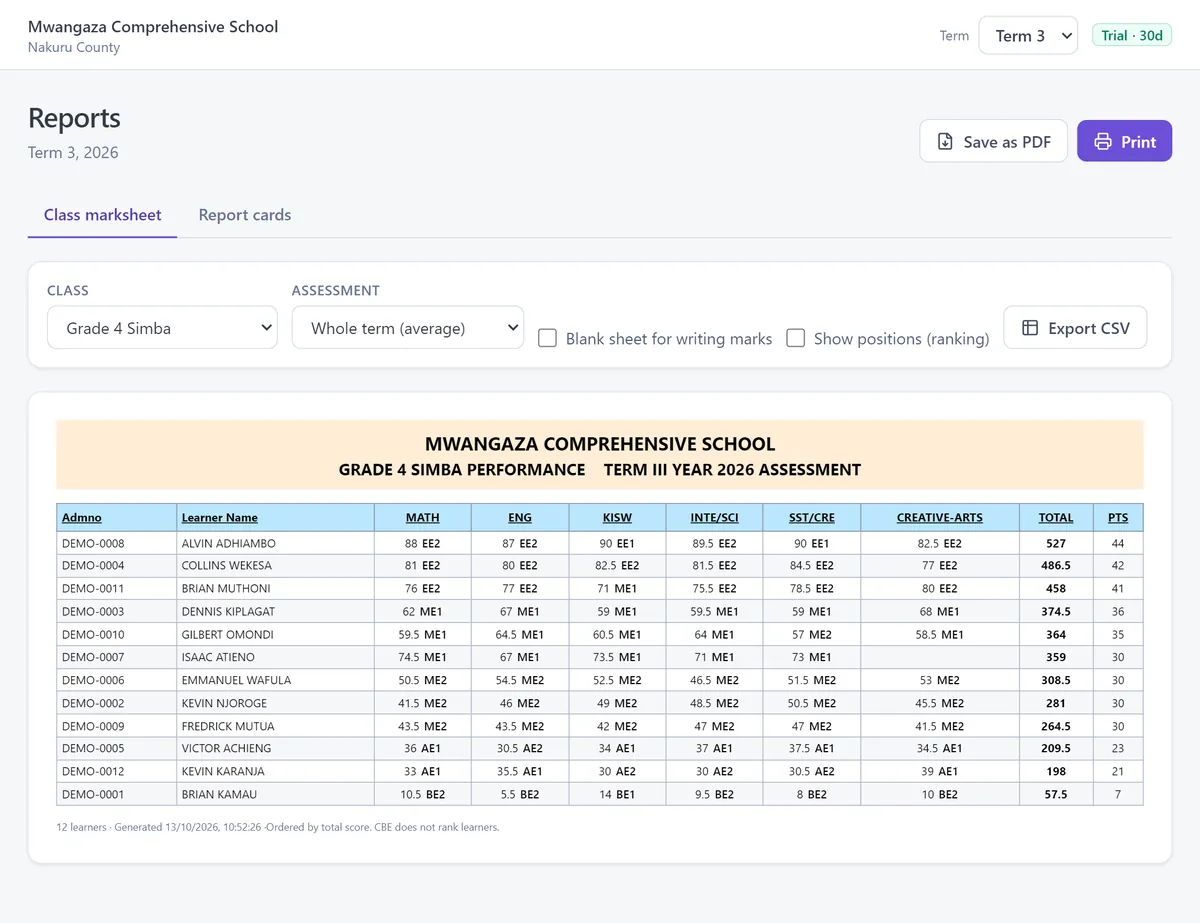
- A class marksheet with totals, means and grades, ready to print or export
- Blank sheets for teachers who write marks on paper first
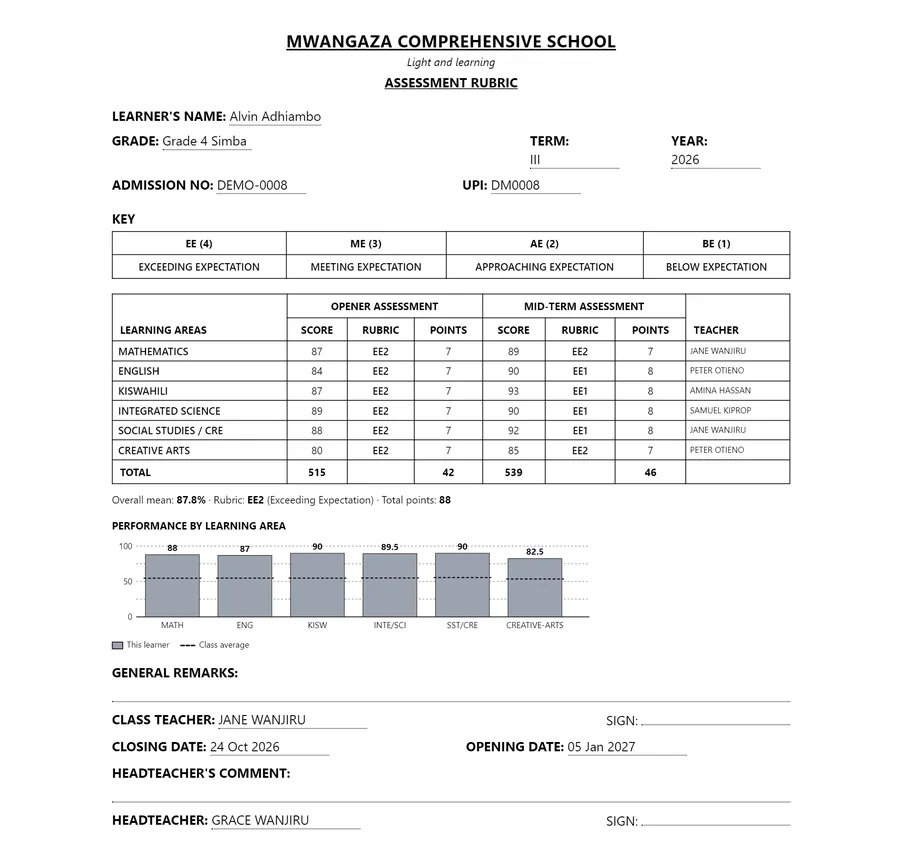
Report cards
Report cards a parent recognises
- The layout your schools already print, with each subject’s teacher named
- A graph of every learner against the class average
- A whole class prints in one go; positions only if you switch them on
Fees
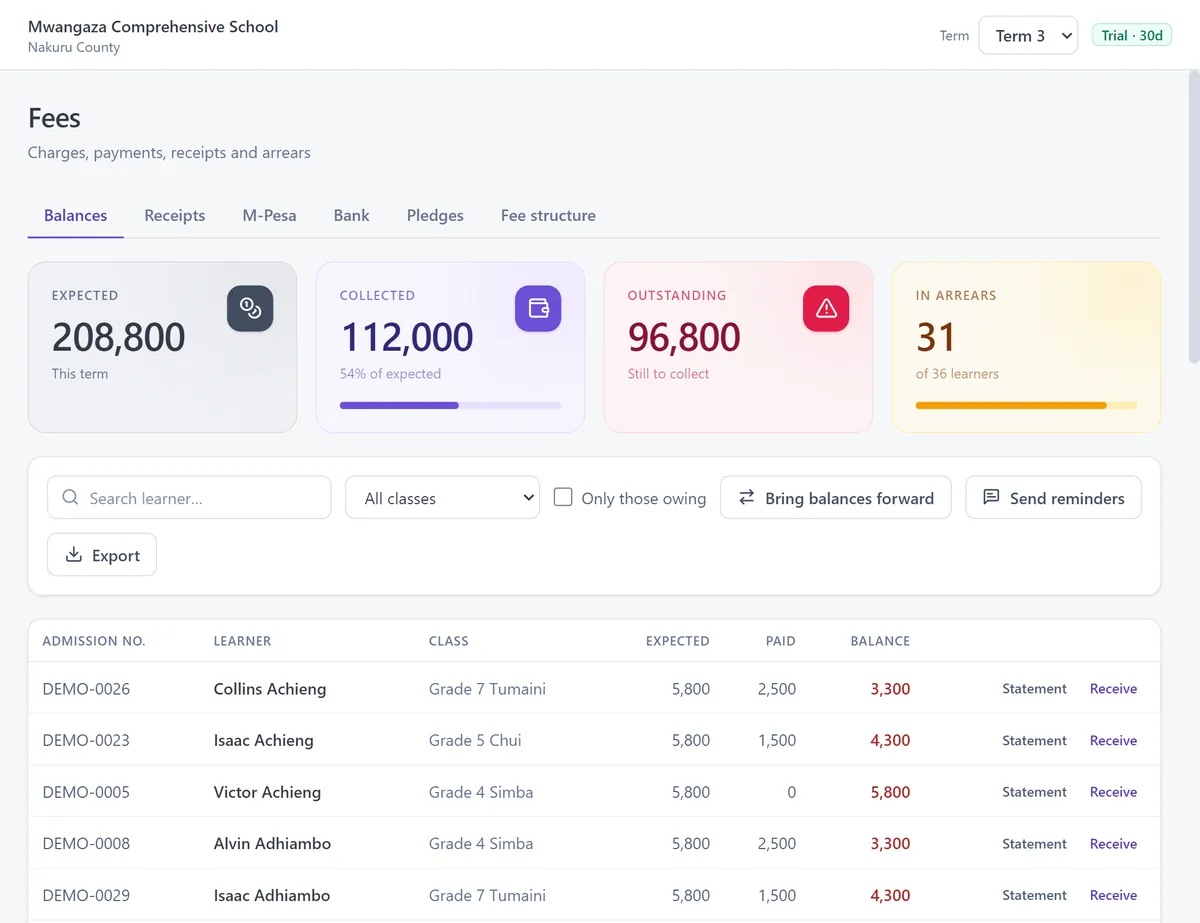
Fees that reconcile themselves
- Import an M-Pesa or bank statement and each payment finds its learner
- Receipts, statements, and arrears brought forward into the new term
- Reminders for the parents who still owe
Everything in one place
The rest of the school year, too
- Your country’s gradingCBE levels, CAPS scale
- Report cardsA whole class at once
- Learner recordsThe numbers your ministry uses
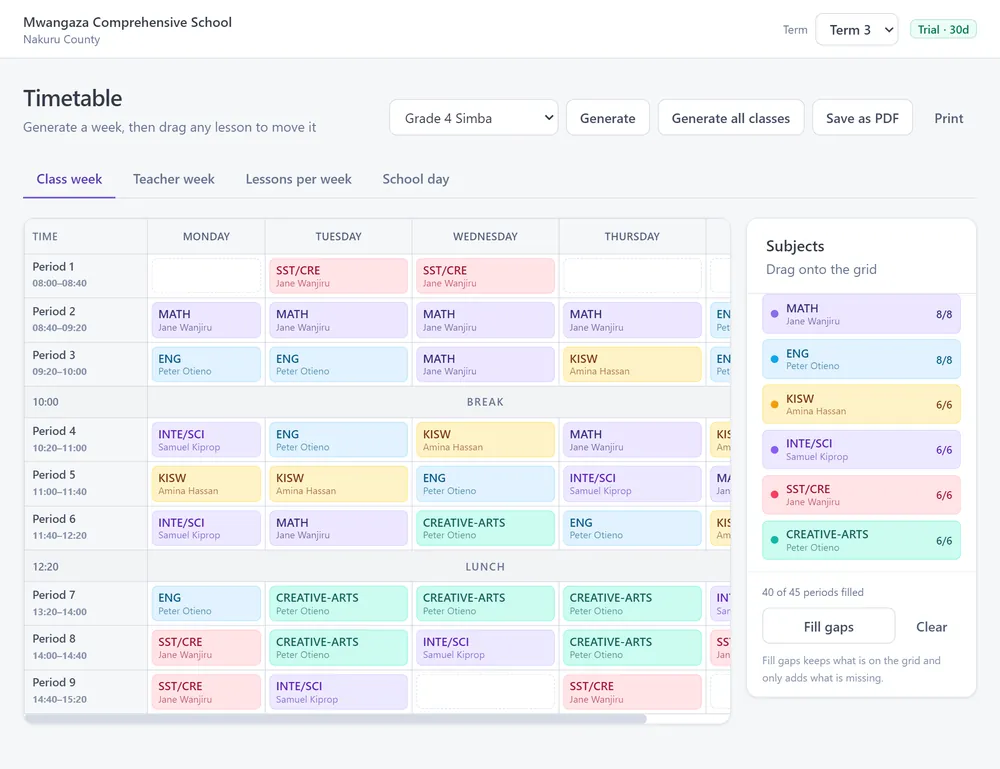
- TimetableGenerated, then yours
- Fees and receiptsM-Pesa and bank statements
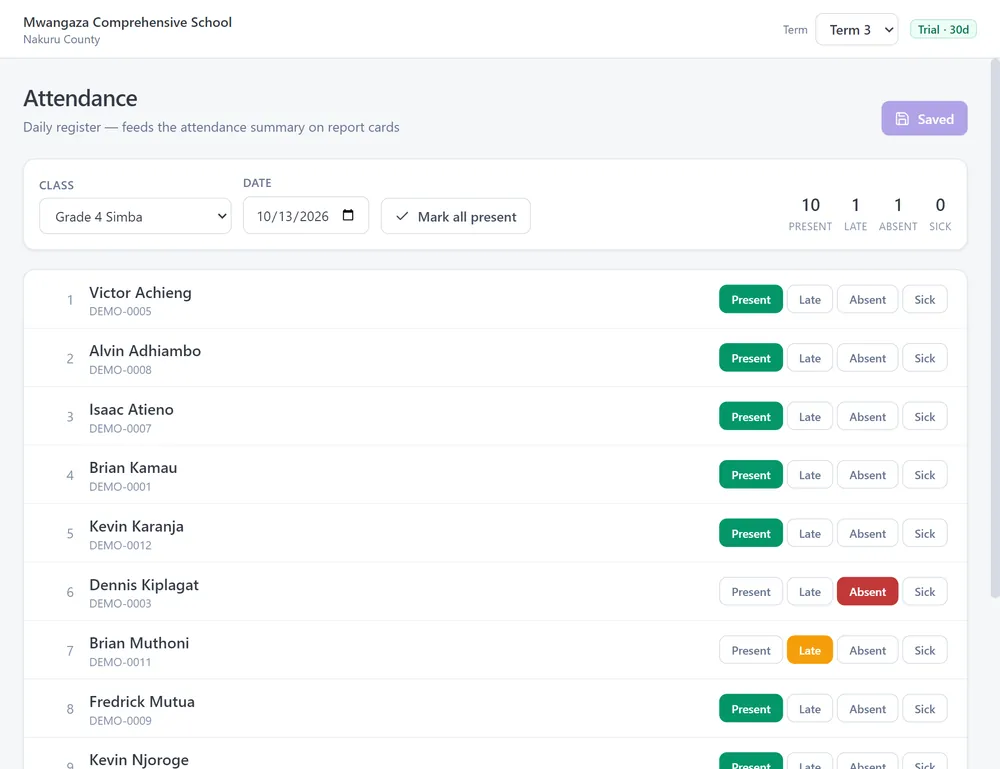
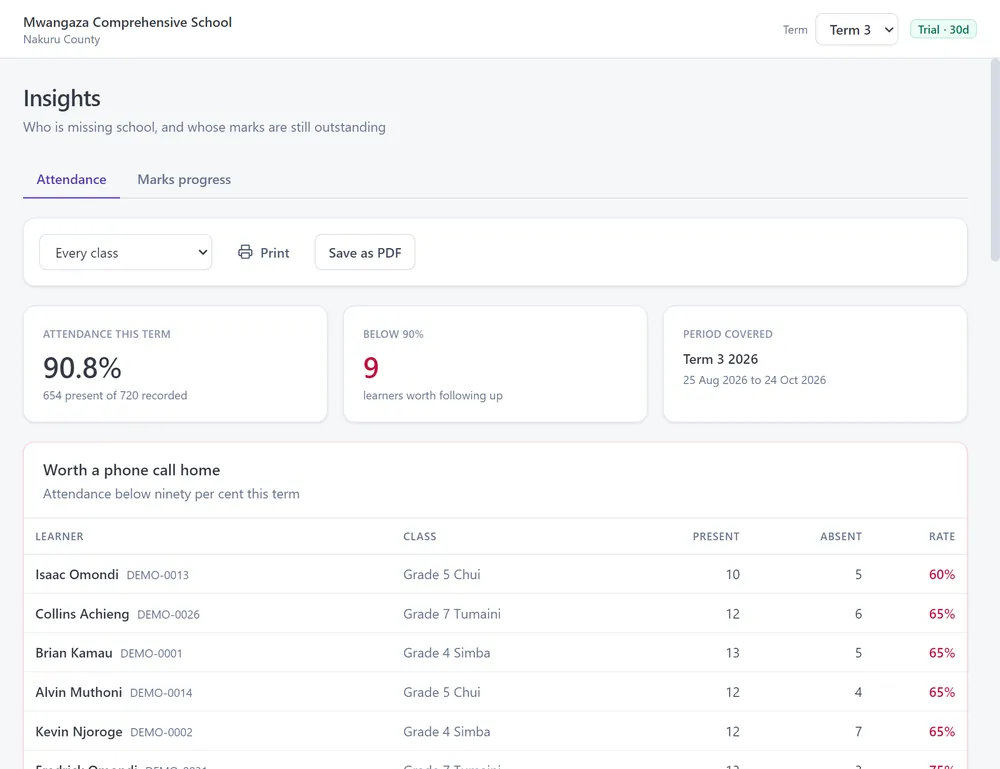
- AttendanceAnd who is slipping
- Transfer certificatesRecorded, not just printed
- Staff accountsHead, deputy, teacher, clerk
- Backup and restoreTo a flash drive
- Updates without internetBy USB, or online





Built in Africa
One system, each country’s own rules
A school chooses its country once, and Msingi follows that country’s grades, subjects, report card and fees. We add a country only when it is done properly, never as a relabelled copy of another.
Kenya
CBC and CBE from PP1 to Grade 12, and Forms 3 and 4 while they last: the eight achievement levels EE1 to BE2, NEMIS UPI and KNEC numbers, and fees in shillings with an M-Pesa statement import.
Msingi in Kenya → AvailableSouth Africa
CAPS from Grade R to Grade 12: the seven-point scale, Home and First Additional Language, promotion rules, LURITS numbers, and fees in rand with a bank statement (EFT) import.
Msingi in South Africa → NextYour country
Uganda, Tanzania, Nigeria, Ghana, Zambia or anywhere else on the continent: request a licence and tell us where you are. Demand decides which country we build next.
Every African country →With internet or without
Your records stay yours
Msingi was written for schools where the network is a phone held near a window. When a licence lapses you can still read, print and back up everything: a school is never locked away from its own records.
On the school’s computer
Everything lives in one file on your own machine. No connection is needed to set up, to enter marks, to activate the licence or to keep using it.
Backed up off-site
Copy a backup to a flash drive from inside the app, or send it off-site encrypted with a code only your school holds. We cannot read it.
In the browser, when you are online
Msingi Cloud puts the same records in a web browser for staff on other computers, and keeps the desktop in step. Ask for it when you request a licence.
Pricing
One price for the whole school
Every teacher, class and feature included. Admitting more learners during the year costs nothing more.
Up to 300 learnersKES 10,000 a year
501 to 600 learnersKES 18,000 a year
1301 and above learnersKES 40,000 a year
South AfricaAsk for a quote in rand

Getting started
Start this afternoon
Download it
One file, for Windows 10 or later. Nothing else to install.
Set up your school
Choose your country, then add your classes, learners and staff.
Get your licence
Send us the Machine ID the app shows you and we send back a key. A licence is needed once real marks go in.