A school management system that works offline
Most school systems stop when the internet does. Msingi runs on the school’s own Windows computer, so marks, report cards and fees keep working through outages, and the records stay in the school.
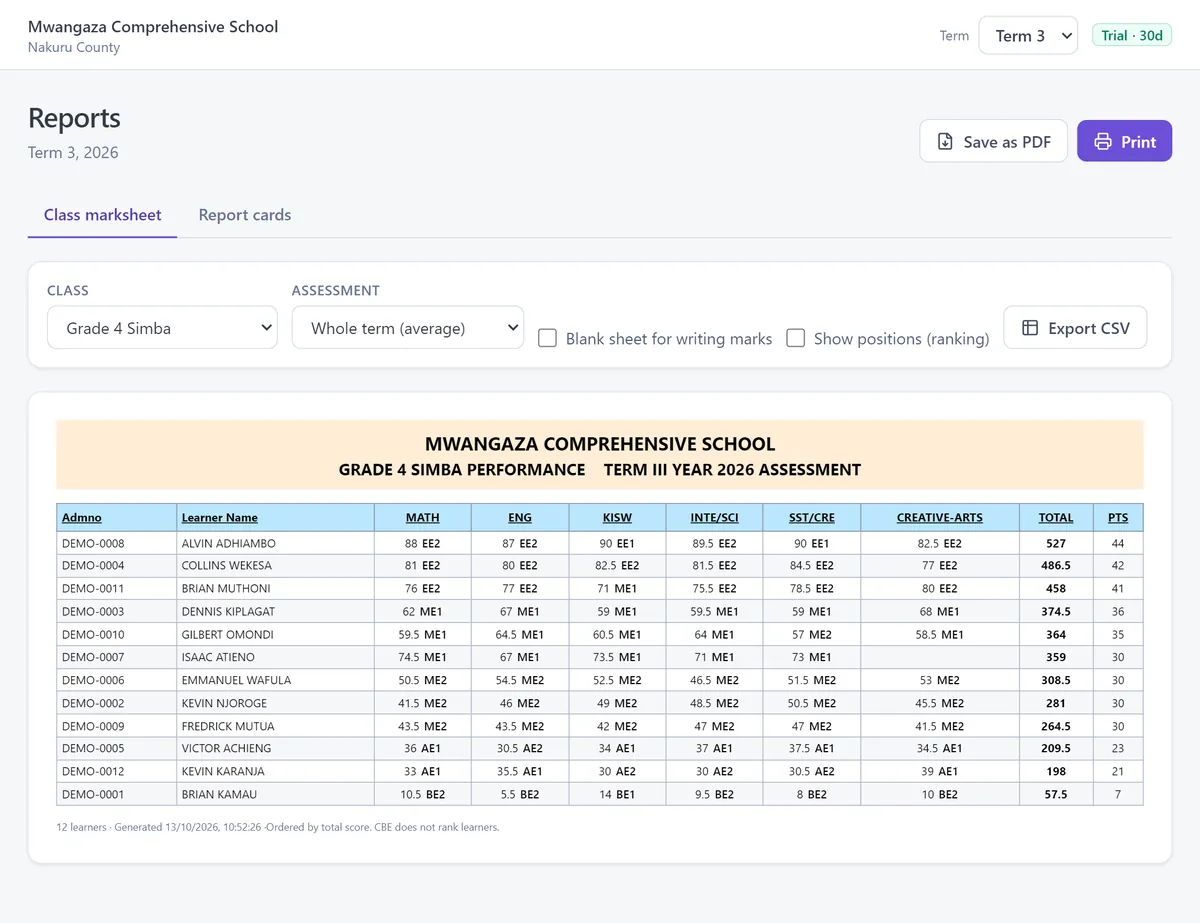
The scale
The grading Msingi uses
CBE achievement levels
| Rubric | Marks | Points |
|---|---|---|
| EE1 | 90–100% | 8 |
| EE2 | 75–89% | 7 |
| ME1 | 58–74% | 6 |
| ME2 | 41–57% | 5 |
| AE1 | 31–40% | 4 |
| AE2 | 21–30% | 3 |
| BE1 | 11–20% | 2 |
| BE2 | 0–10% | 1 |
KCSE grades
| Rubric | Marks | Points |
|---|---|---|
| A | 80–100% | 12 |
| A- | 75–79% | 11 |
| B+ | 70–74% | 10 |
| B | 65–69% | 9 |
| B- | 60–64% | 8 |
| C+ | 55–59% | 7 |
| C | 50–54% | 6 |
| C- | 45–49% | 5 |
| D+ | 40–44% | 4 |
| D | 35–39% | 3 |
| D- | 30–34% | 2 |
| E | 0–29% | 1 |
KCSE grading system: free calculator →
CBE grading system: free calculator →
Questions schools ask
Before you try it
What needs the internet?
Nothing in daily use. The internet is only used for updates, off-site backups and Msingi Cloud, and updates can also come on a USB stick.
What computer does it need?
Windows 10 or 11, 32-bit or 64-bit, with about 350 MB free. It installs without an administrator password.
What if the computer breaks?
Back up to a flash drive in one click, and Msingi backs up on its own when it closes. It reminds you if the last flash-drive backup is over a week old. Encrypted off-site backup is there too.
Can staff work from home?
Yes, with Msingi Cloud. The office computer and the browser version sync both ways, and the office keeps working when the connection drops.
What happens if the licence runs out?
After a week’s grace, Msingi becomes read-only. You can still view, print and back up everything. Your records are never locked away from you.